The Screenshot That Looks Like a Complete Story
A cropped news screenshot can make a fragment look complete. Learn how to identify what the frame shows, what it leaves out and what you can safely say.

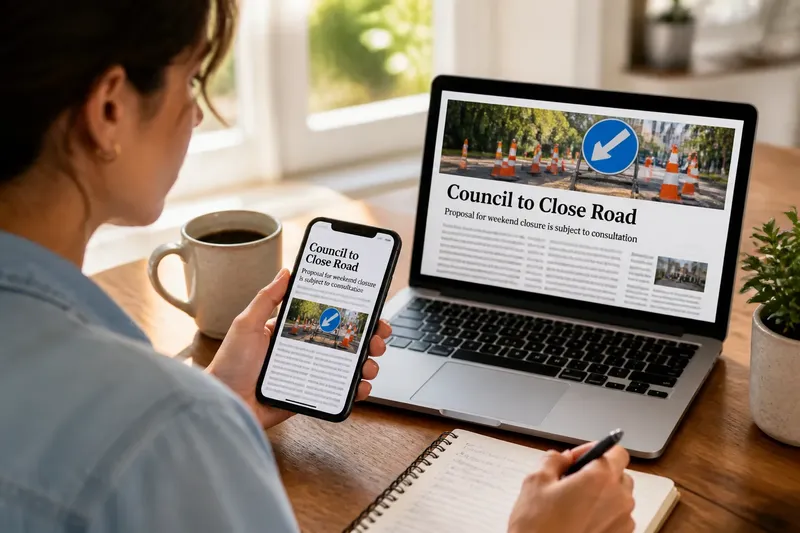
Someone forwards you a screenshot of a news headline about a school closure. The crop shows a photograph and a sentence, but no link or surrounding page. A screenshot of a news story can preserve a fragment convincingly; the harder question is what that fragment establishes beyond its own frame.
Separate three things: the visible image, the page it may have come from, and the claim attached when it was shared. That distinction matters because a screenshot can be genuine yet incomplete, while an added caption can make it seem to say more than it does.
What does the frame contain?
Read only what is visible. Note the headline, body text, captions, labels and interface elements. Keep qualifiers intact: “could close” is not “will close”. If a sentence is clipped, mark it as incomplete rather than supplying an ending that seems likely.
Look at the crop’s edges. A cut-off paragraph, unexplained reference to “the proposal”, or photograph without a caption may signal missing context. Enlarging an image can make small text easier to read; it cannot recover words that were not captured.
In the invented school-closure situation, the screenshot says the council will “review the proposal before making a decision”. That supports a narrow reading: the image contains a statement about a review. It does not, by itself, establish that a closure was decided or that the statement is current.
How can you identify the source from a screenshot?
Treat logos, colours and page design as clues, not proof of origin. A copied masthead can sit beside unrelated text, and an image does not preserve a clickable address. Look for distinctive wording, a place name, a visible caption or a reporter’s name that could help identify the item.
Search a distinctive phrase in quotation marks, then check the publication’s own website or app. Google Lens and other reverse image search tools may locate copies of the image, but a match on a social account or forum is only a lead. Compare the wording and details on the candidate page with the screenshot before treating them as the same item.
Also distinguish the source from the route by which the image reached you. A screenshot forwarded through a family chat is not a link to a publisher, and the sender’s accompanying message is not part of the captured page. Keeping those layers separate makes it easier to say what you know without guessing how the image was made or shared.
What should you check before describing or sharing it?
- Visible wording: If the text is legible and complete, quote it accurately; if it is clipped or blurred, describe it as incomplete rather than filling in the gap.
- Publisher clues: If a logo or masthead is visible, use it to search for the item on the publisher’s own site; if no reliable match appears, call the source unconfirmed.
- Link and address: If the screenshot contains a readable web address, inspect it independently; if it is cropped or too small, do not infer the destination from the branding.
- Image and caption: If a caption explains who or what is pictured, include that context; if no caption is visible, do not identify the image’s subject from appearance alone.
- Crop boundaries: If a sentence starts or ends mid-thought, search for the surrounding text; if you cannot recover it, quote only the complete words shown.
- Added message: If the sender makes a claim beyond the visible text, keep it separate from the screenshot; if you cannot verify that claim, do not repeat it as something the image proves.
- Current status: If the question concerns what is happening now, check a current source relevant to that subject; if none is available, say the screenshot does not settle the present status.
What questions do readers ask about a cropped news screenshot?
Can a screenshot be real but give the wrong impression?
Yes. It may accurately reproduce a small part of a page while omitting text that changes how that part should be read. The message attached to the image can also give an old or limited fragment a stronger meaning.
Does a familiar logo identify the publisher?
Not on its own. A logo is a visual clue, so look for the item through the publication’s own site or app and compare the text and page details.
What if the source cannot be located?
Say that the source remains unconfirmed and describe only what is visible. Search terms or reverse image results can point towards a source, but an unverified match is not the original by default.
Should you forward the image while checking it?
If the image is being used to support a consequential claim, wait until you can add a useful qualification or a relevant source. If you need to discuss it before then, state what the crop shows and what it leaves unresolved.
How does the interpretation change when the page is found?
Imagine the reader searches the phrase “faces closure” with the town name and finds a page on the local publication’s site. The page includes the same headline but also a photograph caption that identifies the image as a proposed site plan. The reader compares the visible sentence with the page, sees that the screenshot cuts off before the next sentence, and finds that the continuation says no decision has been made. The result is a more careful description: the screenshot appears to show part of a report about a possible closure, not confirmation of one.
This example turns on what the missing material contributes. The caption identifies the photograph, while the continuation limits the claim. If the page had matched the screenshot but offered no surrounding text, the reader would still have grounds to identify a likely source, but not to fill in the missing sentence.
What can a screenshot establish by itself?
A screenshot can show visible words and design features. If those details match a page located independently, it can help identify a fragment from that page. But the image alone does not establish where it came from, what lies outside the crop, or whether the text remains current. A familiar masthead is not a record of provenance, and a crisp image is not a record of when it was captured.
A crop is not automatically evidence of deception. Someone may have saved a passage because it fitted on a phone screen, or shared a single paragraph for convenience. The crop’s effect can be assessed without guessing the maker’s motive: ask whether what is missing would change the meaning being claimed.
If no source can be found, keep that uncertainty attached to the description. When the question is about a current school decision, check a relevant school or council notice separately; do not present it as though it were the missing article. For a consequential matter, use information from the responsible organisation rather than relying on a circulating image.
When does the screenshot stop answering the question?
It stops answering when the claim depends on information outside the frame. A crop may show a headline but not the text that qualifies it, or a paragraph but not the caption that explains a photograph. If no original can be located, the image may remain useful evidence of what it visibly contains, but its source and surrounding context are unresolved.
For anyone checking a screenshot of a news story, the useful habit is to describe the frame precisely and keep the claim no larger than the evidence. If the missing edges would decide the question, treat them as missing—not as an invitation to complete the story from the headline.